Diving into the realm of cloud storage solutions opens up a world of possibilities for individuals and businesses alike. This introduction sets the stage for an enlightening journey through the intricacies of cloud storage, shedding light on its benefits, types, security features, implementation strategies, and cost considerations.
As we navigate through the various facets of cloud storage solutions, you will gain a deeper understanding of how this technology can revolutionize the way data is stored, managed, and accessed in today's digital age.
Introduction to Cloud Storage Solutions
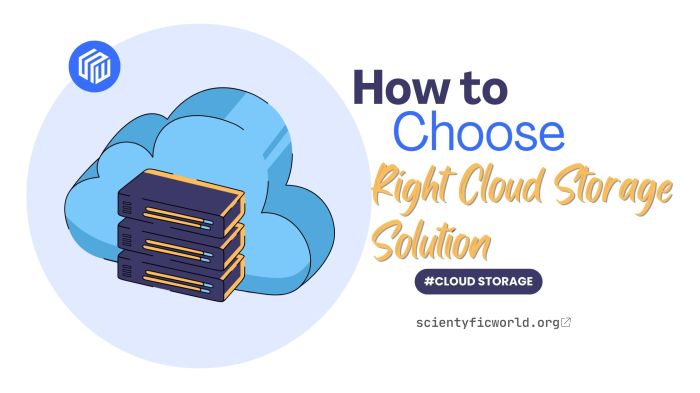
Cloud storage solutions refer to online services that allow individuals and businesses to store, manage, and access their data over the internet. Instead of storing files on a local hard drive or physical storage device, cloud storage enables users to save their data on remote servers maintained by a third-party provider.
There are several benefits to using cloud storage solutions. Firstly, it offers flexibility and scalability, allowing users to access their data from anywhere with an internet connection. Additionally, cloud storage providers often offer automatic backups, file synchronization, and collaboration tools, making it easier for users to share and collaborate on documents.
Popular Cloud Storage Providers
- Google Drive: Google Drive is a popular cloud storage service that offers free storage space to users and integrates seamlessly with other Google services such as Gmail and Google Docs.
- Dropbox: Dropbox is another widely used cloud storage provider known for its user-friendly interface and file sharing capabilities.
- Microsoft OneDrive: OneDrive is Microsoft's cloud storage solution, which is often integrated with Windows operating systems and Microsoft Office products.
- Amazon S3: Amazon Simple Storage Service (S3) is a scalable cloud storage solution designed for developers and businesses looking for secure and reliable storage options.
Types of Cloud Storage Solutions
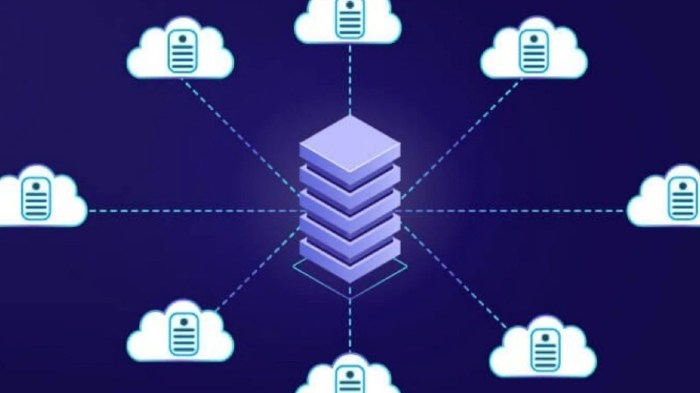
Public, private, and hybrid cloud storage solutions each offer unique advantages and considerations for users. Object storage and file storage in the cloud also serve different purposes, while cloud backup solutions provide an essential layer of data protection.
Public, Private, and Hybrid Cloud Storage Solutions
Public cloud storage is managed by third-party providers and accessible over the internet, offering scalability and cost-effectiveness. Private cloud storage is dedicated to a single organization, providing greater control over security and customization. Hybrid cloud storage combines elements of both public and private clouds, allowing organizations to leverage the benefits of both.
Object Storage vs. File Storage in the Cloud
Object storage stores data as objects with metadata, making it ideal for scalable and unstructured data. File storage organizes data into files and folders, resembling traditional file systems and suitable for structured data. Object storage is more scalable and cost-effective, while file storage offers faster access to individual files.
Cloud Backup Solutions
Cloud backup solutions involve regularly backing up data to remote servers over the internet, ensuring data redundancy and protection against data loss. These solutions provide automated backups, versioning, and recovery options, offering peace of mind for organizations in the event of data loss or corruption.
Security Features in Cloud Storage Solutions

Cloud storage solutions offer various security features to protect data stored in the cloud. These measures are essential to ensure the confidentiality, integrity, and availability of data. Let's explore some common security features implemented by cloud storage providers.
Data Encryption
Encryption is a crucial security measure used to safeguard data in the cloud. Cloud storage providers encrypt data during transmission and at rest to prevent unauthorized access. They use advanced encryption algorithms to encode data, making it unreadable to anyone without the decryption key.
Access Control
Cloud storage solutions employ access control mechanisms to regulate who can access data stored in the cloud. This includes user authentication, authorization, and permission settings to ensure that only authorized users can view, edit, or delete files.
Multi-factor Authentication
Many cloud storage providers offer multi-factor authentication as an extra layer of security. This requires users to provide two or more forms of verification, such as a password and a unique code sent to their mobile device, before accessing their account.
Regular Security Audits
To maintain the security of their systems, cloud storage providers conduct regular security audits and assessments. These audits help identify vulnerabilities and ensure compliance with industry security standards and regulations.
Data Privacy and Compliance
Cloud storage solutions must comply with data privacy regulations such as GDPR and HIPAA to protect user data. Providers implement strict privacy policies and security measures to safeguard sensitive information and ensure compliance with legal requirements.Overall, security features in cloud storage solutions play a critical role in protecting data from unauthorized access and ensuring the integrity and confidentiality of information stored in the cloud.
Implementation and Integration of Cloud Storage Solutions

Integrating cloud storage solutions into existing IT infrastructure is a crucial step for businesses looking to leverage the benefits of cloud technology. It involves migrating data to the cloud and effectively managing and scaling the storage solutions to meet the organization's needs.
Steps for Integrating Cloud Storage Solutions
- Assess Current IT Infrastructure: Evaluate the existing infrastructure to identify compatibility with cloud storage solutions.
- Choose the Right Cloud Storage Provider: Select a provider that meets the organization's security, compliance, and scalability requirements.
- Plan Migration Strategy: Develop a comprehensive strategy for migrating data to the cloud, considering data volume and sensitivity.
- Implement Cloud Storage Solution: Deploy the chosen cloud storage solution and integrate it with existing systems and applications.
- Train Staff: Provide training to IT staff on how to effectively use and manage the cloud storage solution.
Best Practices for Migrating Data to the Cloud
- Classify Data: Categorize data based on sensitivity and importance to prioritize migration.
- Use Encryption: Encrypt data during transit and at rest to ensure security and compliance.
- Perform Testing: Conduct thorough testing to validate data integrity and functionality after migration.
- Backup Data: Maintain backups of data during the migration process to prevent data loss.
Managing and Scaling Cloud Storage Solutions
- Monitor Performance: Regularly monitor the performance of cloud storage solutions to identify and address any issues promptly.
- Optimize Storage: Utilize storage optimization techniques to maximize efficiency and minimize costs.
- Scale Responsively: Scale cloud storage solutions based on demand to ensure optimal performance and cost-effectiveness.
Cost Considerations in Cloud Storage Solutions
When considering cloud storage solutions, it is essential to evaluate the cost implications associated with using these services. Various factors can impact the overall cost of utilizing cloud storage solutions, including pricing models offered by different providers and strategies for optimizing costs.
Factors Influencing Cost
- Storage Capacity: The amount of data you need to store will directly affect the cost, as providers typically charge based on storage space.
- Bandwidth Usage: Transferring data in and out of the cloud can incur additional charges, so monitoring and managing bandwidth usage is crucial.
- Redundancy and Backup: Implementing redundancy and backup solutions can increase costs but are necessary for data protection and disaster recovery.
- Service Level Agreements (SLAs): Higher service levels and guaranteed uptimes may come at a premium, impacting overall costs.
Comparison of Pricing Models
- Pay-As-You-Go: Some providers offer a pay-as-you-go model where you only pay for the resources you use, making it cost-effective for fluctuating storage needs.
- Subscription Plans: Other providers offer subscription-based plans with fixed monthly costs, which can be more predictable for budgeting purposes.
- Free Tier Options: Many cloud storage providers offer free tiers with limited storage capacity, allowing you to test their services before committing to a paid plan.
Cost Optimization Strategies
- Data Lifecycle Management: Implementing data lifecycle policies to determine when data should be archived or deleted can help reduce storage costs.
- Compression and Deduplication: Utilizing compression and deduplication techniques can minimize storage requirements and lower costs.
- Resource Sizing: Scaling resources based on actual needs and usage patterns can prevent over-provisioning and unnecessary expenses.
- Cost Monitoring Tools: Leveraging cost monitoring tools provided by cloud storage providers can help track expenses and identify areas for optimization.
Ending Remarks
In conclusion, cloud storage solutions offer a flexible, secure, and cost-effective way to store and manage data in the cloud. By embracing the power of cloud storage, businesses can enhance their efficiency, scalability, and overall productivity in an increasingly data-driven world.
Answers to Common Questions
What are the key benefits of using cloud storage solutions?
Cloud storage solutions offer scalability, accessibility, and cost-efficiency compared to traditional storage methods.
How do public, private, and hybrid cloud storage solutions differ?
Public cloud storage is shared among multiple users, private cloud storage is dedicated to a single organization, and hybrid cloud storage combines both public and private elements.
What security measures do cloud storage providers commonly implement?
Common security measures include encryption, access controls, data redundancy, and regular security audits.
How can businesses effectively manage and scale their cloud storage solutions?
Businesses can utilize automation tools, implement data lifecycle management strategies, and regularly assess their storage needs to effectively manage and scale their cloud storage solutions.
What factors impact the cost of using cloud storage solutions?
Factors such as storage capacity, data transfer bandwidth, additional services, and pricing models can impact the cost of using cloud storage solutions.